wiki
Web crawler, sometimes called a spider or spiderbot and often shortened to crawler, is an Internet bot that systematically browses the World Wide Web and that is typically operated by search engines for the purpose of Web indexing (web spidering)
实际上,只要一个自动化程序做了下列的某一件事情,就可以认定为爬虫:
Requests is an elegant and simple HTTP library for Python, built for human beings.
官方的宣言非常简单明了
1
2
3
4
5
6
7
8
import requests

r = requests.get('https://api.github.com/events')
r = requests.post('https://httpbin.org/post', data={'key': 'value'})
r = requests.put('https://httpbin.org/put', data={'key': 'value'})
r = requests.delete('https://httpbin.org/delete')
r = requests.head('https://httpbin.org/get')
r = requests.options('https://httpbin.org/get')
自然,当我们使用爬虫时,只需要使用get请求就足够了
给get请求带上参数
If you were constructing the URL by hand, this data would be given as key/value pairs in the URL after a question mark, e.g. httpbin.org/get?key=val. Requests allows you to provide these arguments as a dictionary of strings, using the params keyword argument.
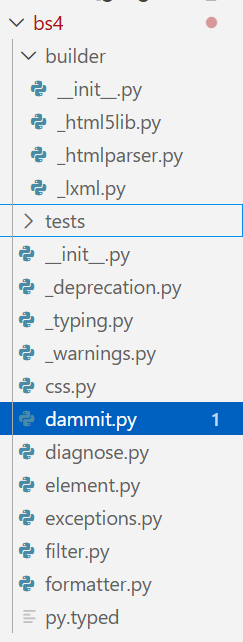
It takes its name from the poem Beautiful Soup from Alice’s Adventures in Wonderland and is a reference to the term “tag soup” meaning poorly-structured HTML code.
element = driver.find_element(By.ID, "passwd-id") element = driver.find_element(By.NAME, "passwd") element = driver.find_element(By.XPATH, "//input[@id='passwd-id']")
# If you need to find multiple elements, use: elements = driver.find_elements(By.NAME, "passwd")
模拟键盘交互
1 2 3 4 5 6 7 8 9
# If you want to input text into a field, you can use: element.send_keys("some text") # You can also simulate pressing arrow keys or other keys using the Keys class:
element.send_keys(" and some", Keys.ARROW_DOWN)
# To clear the contents of a text field or textarea, use the clear method:
# Import the necessary modules from Selenium from selenium import webdriver from selenium.webdriver.common.by import By from selenium.webdriver.common.keys import Keys # Added import for Keys from selenium.webdriver.support.ui import WebDriverWait # To wait for elements from selenium.webdriver.support import ( expected_conditions as EC, ) # For expected conditions import time
deftest(): # you can choose other browsers like Chrome, Firefox, etc. driver = webdriver.Edge()
# Navigate to the GeeksforGeeks website driver.get("https://www.geeksforgeeks.org/")
# Maximize the browser window driver.maximize_window()
# Wait for 3 seconds to ensure the page is loaded time.sleep(3)
# Handle iframe if one exists (e.g., an overlay) iframe_element = driver.find_element( By.XPATH, "//iframe[contains(@src,'accounts.google.com')]" ) driver.switch_to.frame(iframe_element)
# Close the overlay (e.g., Google sign-in iframe) closeele = driver.find_element(By.XPATH, "//*[@id='close']") closeele.click()
# Wait for the iframe action to complete time.sleep(3)
# Switch back to the main content driver.switch_to.default_content()
# Locate the search icon element using XPath searchIcon = driver.find_element(By.XPATH, "//span[@class='flexR gs-toggle-icon']")
# Wait for 3 seconds before interacting with the search input time.sleep(3)
# Locate the input field for search text using XPath enterText = driver.find_element(By.XPATH, "//input[@class='gs-input']")
# Enter the search query "Data Structure" into the input field enterText.send_keys("Data Structure")
# Send the RETURN key to submit the search query enterText.send_keys(Keys.RETURN)
from selenium import webdriver from selenium.webdriver.common.by import By from selenium.webdriver.chrome.options import Options import time import random
for div_id, value in answers.items(): try: div = driver.find_element(By.ID, div_id) ifisinstance(value, list): for val in value: labels = div.find_elements(By.CLASS_NAME, "label") for label in labels: if val in label.text: label.click() break else: labels = div.find_elements(By.CLASS_NAME, "label") for label in labels: if value in label.text: label.click() break except Exception as e: print(f"{div_id} 填写失败: {e}")
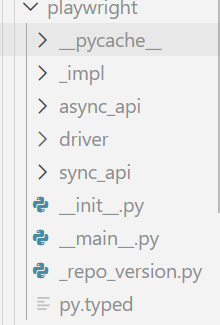
Playwright was created specifically to accommodate the needs of end-to-end testing. Playwright supports all modern rendering engines including Chromium, WebKit, and Firefox. Test on Windows, Linux, and macOS, locally or on CI, headless or headed with native mobile emulation.
{"author": "Jane Austen", "text": "\u201cThe person, be it gentleman or lady, who has not pleasure in a good novel, must be intolerably stupid.\u201d"}
{"author": "Steve Martin", "text": "\u201cA day without sunshine is like, you know, night.\u201d"}
{"author": "Garrison Keillor", "text": "\u201cAnyone who thinks sitting in church can make you a Christian must also think that sitting in a garage can make you a car.\u201d"}
// ...
"""Base class that any spider must subclass.

   It provides a default :meth:`start` implementation that sends
   requests based on the :attr:`start_urls` class attribute and calls the
   :meth:`parse` method for each response.
   """
with warnings.catch_warnings(): warnings.filterwarnings( "ignore", category=ScrapyDeprecationWarning, module=r"^scrapy\.spiders$" ) for item_or_request inself.start_requests(): yield item_or_request # 默认会使用start_urls变量进行爬取 defstart_requests(self) -> Iterable[Any]: warnings.warn( ( "The Spider.start_requests() method is deprecated, use " "Spider.start() instead. If you are calling " "super().start_requests() from a Spider.start() override, " "iterate super().start() instead." ), ScrapyDeprecationWarning, stacklevel=2, ) ifnotself.start_urls andhasattr(self, "start_url"): raise AttributeError( "Crawling could not start: 'start_urls' not found " "or empty (but found 'start_url' attribute instead, " "did you miss an 's'?)" ) # 这里的Request并非是request库 for url inself.start_urls: yield Request(url, dont_filter=True)