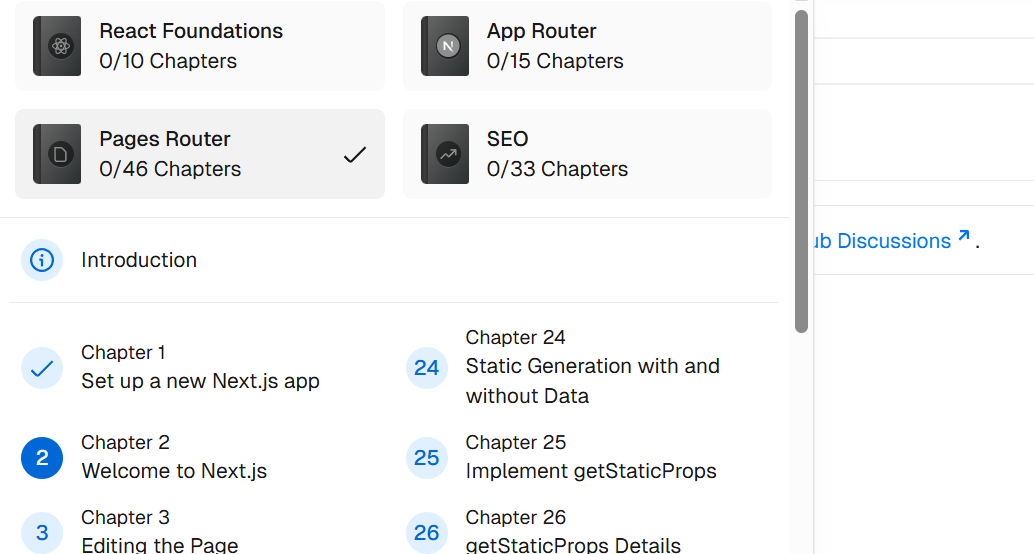
事实上这个Intro写的很烂,如果是初学者还是老老实实看React的官方教程,写的详细不少(3/7)
Part of React’s success is that it is relatively unopinionated about the other aspects of building applications. This has resulted in a flourishing ecosystem of third-party tools and solutions, including Next.js.
The HTML represents the initial page content, whereas the DOM (Document Object Model) represents the updated page content which was changed by the JavaScript code you wrote.
1 2 3 4 5 6 7 8 9 10 11 12 13 14 15 16 17 18 19 20 21 22 23 24 25 26 27 28 29 <html > <body > <div id ="app" > </div > <script src ="https://unpkg.com/react@18/umd/react.development.js" > </script > <script src ="https://unpkg.com/react-dom@18/umd/react-dom.development.js" > </script > <script src ="https://unpkg.com/@babel/standalone/babel.min.js" > </script > <script type ="text/jsx" > const app = document .getElementById ('app' ); function Header ( return <h1 > Develop. Preview. Ship.</h1 > } function HomePage ( return ( <div > {/* Nesting the Header component */} <Header /> </div > ); } const root = ReactDOM .createRoot (app); root.render (<HomePage /> </script > </body > </html >
Component 首字母都要大写 ,调用时采用类html格式(<…/>)
实际为jsx格式,需要经过babel来转译
1
2
3
4
5
6
7
8
9
10
11
12
13
14
15
16
17
18
function Header ({ title } ) { console .log ({title}); return <h1 > {title}</h1 > } function HomePage ( const names = ['Ada Lovelace' , 'Grace Hopper' , 'Margaret Hamilton' ]; return ( <div > <Header title ="Develop. Preview. Ship." /> <ul > {names.map((name) => ( <li key ={name} > {name}</li > ))} </ul > </div > ); }
function Header({ title }) 调用时实际上传入的是一个对象,jsx会将这个对象解构,就可以看作是一个普通字符串变量进行处理了{names.map((name) => (<li key={name}>{name}</li>))}中的{name}可以看作是普通的js插值,而(name)则是传入的字符串而不是对象
事实上,让我们再仔细看看这个代码:
1
2
3
4
function Header ({ title } ) { console .log ({title}); return <h1 > {title}</h1 > }
这个Header()函数在Homepage()函数中竟然以<Header />的形式出现,这才是最值得注意的地方,jsx通过函数将html元素在不同组件之间传递,实现了与普通的三件套写法完全不同的体验.
1
2
3
4
5
6
7
8
9
10
11
12
13
14
15
16
17
18
19
function HomePage ( const names = ['Ada Lovelace' , 'Grace Hopper' , 'Margaret Hamilton' ]; const [likes, setLikes] = React .useState (0 ); function handleClick ( setLikes (likes + 1 ); } return ( <div > <Header title ="Develop. Preview. Ship." /> <ul > {names.map((name) => ( <li key ={name} > {name}</li > ))} </ul > <button onClick ={handleClick} > Likes ({likes})</button > </div > ); }
这里的useState实际上是把likes和setLikes在React内部关联起来了
每次点击按钮时,setLikes(likes + 1);会将likes增加1,如果只写likes=likes+1这样的式子,React内部就无法同步likes的更改
也就是说,state是具有记忆性的用户交互管理器
前面的Intro遗漏了JSX中最关键的对象:props,是properties的简称,可以实现函数,对象,变量在不同函数,不同文件之间的传递
1
2
3
4
5
6
7
8
9
10
11
12
13
14
15
16
17
18
19
20
21
22
23
24
25
26
27
28
29
30
31
32
33
34
35
36
37
38
39
40
41
import { getImageUrl } from './utils.js' ;function Avatar ({ person, size } ) { return ( <img className ="avatar" src ={getImageUrl(person)} alt ={person.name} width ={size} height ={size} /> ); } export default function Profile ( return ( <div > <Avatar size ={100} person ={{ name: 'Katsuko Saruhashi ', imageId: 'YfeOqp2 ' }} /> <Avatar size ={80} person ={{ name: 'Aklilu Lemma ', imageId: 'OKS67lh ' }} /> <Avatar size ={50} person ={{ name: 'Lin Lanying ', imageId: '1bX5QH6 ' }} /> </div > ); }
其中function Avatar({ person, size })实质上是语法糖,真正在解析的时候会变成下方代码
1
2
3
4
function Avatar (props ){ const person = props.person const size = props.size }
而下方代码也会将size和person打包为props传入Avatar组件
1 2 3 4 5 6 7 <Avatar size={100 } person={{ name : 'Katsuko Saruhashi' , imageId : 'YfeOqp2' }} />
1
2
3
4
5
6
7
8
9
10
11
12
13
14
15
16
17
18
19
@tailwind base;@tailwind components;@tailwind utilities;input [type='number' ] { -moz-appearance : textfield; appearance : textfield; } input [type='number' ] ::-webkit-inner-spin-button { -webkit-appearance : none; margin : 0 ; } input [type='number' ] ::-webkit-outer-spin-button { -webkit-appearance : none; margin : 0 ; }
在/app/ui下的global.css里只有这么几行,但却让整个浏览页面变得流畅现代了许多
教程里对tailwind的介绍太过粗略,又得去看官方文档了
(3/5)谁想被竖版排序骗了,官方教程中的Pages Router才是接着React Foundations的一章
我说看了这么久App Router教程看的累死人了,感觉略过了很多细节,同时教学项目已经非常完善了,也没教什么很有用的东西,重开一下
nextjs中文件路径对应网页路径,如果创建了pages/posts/first-post.js,那么就可以在http://localhost:3000/posts/first-post里访问到这个jsx文件渲染出的网页
1
2
3
4
5
6
7
8
9
10
11
12
import Link from "next/link" ;export default function FirstPost ( return ( <> <h1 > First Post</h1 > <h2 > <Link href ="/" > Back to home</Link > </h2 > </> ); }
从这里也可以看到nextjs/React要求返回多个语句时要用<> ... </>变成一个语句
If you’ve used instead of
也就是说nextjs对链接方式作了优化,从而保证跳转不用刷新整个html,而是只更改了js的渲染内容
Furthermore, in a production build of Next.js, whenever Link components appear in the browser’s viewport, Next.js automatically prefetches the code for the linked page in the background. By the time you click the link, the code for the destination page will already be loaded in the background, and the page transition will be near-instant!
className是jsx的语法,很好的摒弃了传统css的混乱写法components/layout.module.css
1
2
3
4
5
.container { max-width : 36rem ; padding : 0 1rem ; margin : 3rem auto 6rem ; }
components/layout.js
1
2
3
4
5
import styles from './layout.module.css' ; export default function Layout ({ children } ) { return <div className ={styles.container} > {children}</div > }
This is what CSS Modules does: It automatically generates unique class names. As long as you use CSS Modules, you don’t have to worry about class name collisions.
posts/ssg.md
1
2
3
4
5
6
--- title: 'When to Use Static Generation v.s. Server-side Rendering' date: '2020-01-02' --- We recommend using **Static Generation** (with and without data) whenever possible because your page can be built once and served by CDN, which makes it much faster than having a server render the page on every request.
顶部yaml格式的metadata可以用gray-matter之类的工具进行解析
原理如下:
1
2
3
4
5
--- title: Hello slug: home --- <h1 > </h1 >
可以变成
1
2
3
4
5
6
7
{ content: '<h1>Hello world!</h1>', data: { title: 'Hello', slug: 'home' } }
在nextjs中,一般的页面都可以在访问者点击之前提前渲染,但如果页面需要外部API或者数据库连接,则可以使用export async function getStaticProps()来保证页面在实现这个函数之后才加载出来
1
2
3
4
5
6
7
8
9
10
11
12
13
14
15
16
17
18
19
20
21
22
23
24
25
26
27
28
29
30
31
32
33
34
35
36
37
38
39
40
41
42
43
import Head from "next/head" ;import Layout , { siteTitle } from "../components/layout" ;import utilStyles from "../styles/utils.module.css" ;import { getSortedPoseData } from "../lib/posts" ;export default function Home ({ allPostsData } ) { return ( <Layout home > <Head > <title > {siteTitle}</title > </Head > <section className ={utilStyles.headingMd} > <p > [Your Self Introduction]</p > <p > (This is a sample website - you’ll be building a site like this on{" "} <a href ="https://nextjs.org/learn" > our Next.js tutorial</a > .) </p > </section > <section className ={ `${utilStyles.headingMd } ${utilStyles.padding1px }`}> <h2 className ={utilStyles.headingLg} > Blog</h2 > <ul className ={utilStyles.list} > {allPostsData.map(({ id, date, title }) => ( <li className ={utilStyles.listItem} key ={id} > {title} <br /> {id} <br /> {date} </li > ))} </ul > </section > </Layout > ); } export async function getStaticProps ( const allPostsData = getSortedPostsData (); return { props : { allPostsData, }, }; }
Home函数需要接收外部的allPostsData对象,故使用了xport async function getStaticProps()来保证页面先拿到allPostsData再加载
需要注意的是getStaticProps是特定函数名,不能随便改的,类似的还有getServerSideProps这样的函数
In our case, we want to create dynamic routes for blog posts:
We want each post to have the path /posts/, where is the name of the markdown file under the top-level posts directory.
Since we have ssg-ssr.md and pre-rendering.md , we’d like the paths to be /posts/ssg-ssr and /posts/pre-rendering.
1
2
3
4
5
6
7
8
9
10
11
12
13
14
15
16
17
18
19
20
21
22
23
24
export function getAllPostIds ( const fileNames = fs.readdirSync (postsDirectory); return fileNames.map ((fileName ) => { return { params : { id : fileName.replace (/\.md$/ , '' ), }, }; }); }
The returned list is not just an array of strings — it must be an array of objects that look like the comment above. Each object must have the params key and contain an object with the id key (because we’re using [id] in the file name). Otherwise, getStaticPaths will fail.
事实上,教程到这里基本就戛然而止了,讲的看似很多,但很多都是边角料,同时很多知识都说的不明不白,并且看得出来体系非常割裂,仅仅是把几个片段合并在一起,没有动任何心思去把前后文章关联起来,很容易让人怀疑:写教程的自己懂怎么用nextjs吗😅
我真正想看的其实是类似于处理PUT auth/users请求的路由,而不是这种静态网页,但话又说回来了,即便在App Router教程中,它也绝口不提最重要的route.ts文件,而是让你去写点ui啊,取消注释代码啊这些一言难尽的活儿.或许官方生怕教会别人怎么用nextjs吧.